Find My Phone
Clap & Whistle

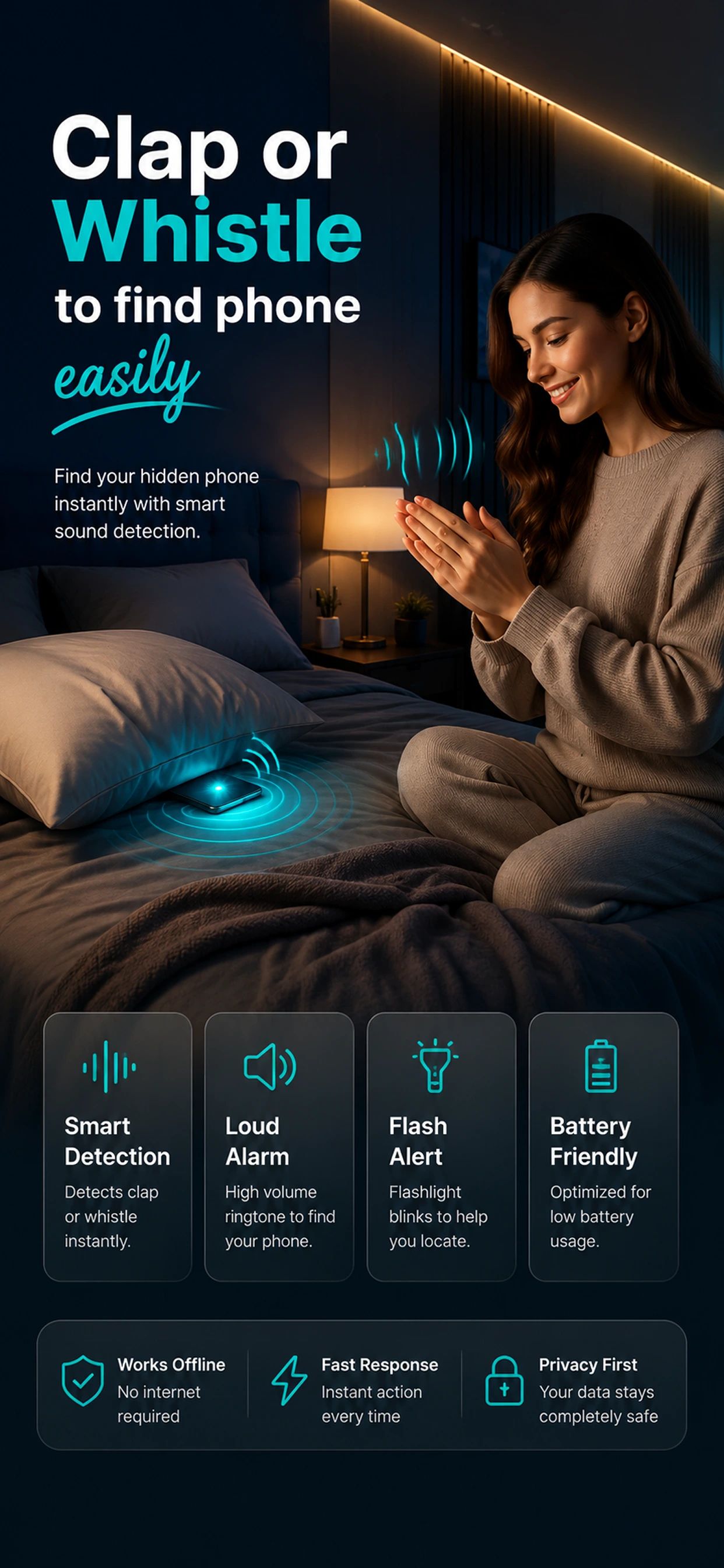
Clap & Whistle is a simple phone finder app that helps you locate your misplaced phone using clap and whistle detection.

Just clap your hands or whistle, and your phone can respond with a loud sound, flashlight alert, or vibration to help you find it nearby.

Clap. Whistle. Find Your Phone.

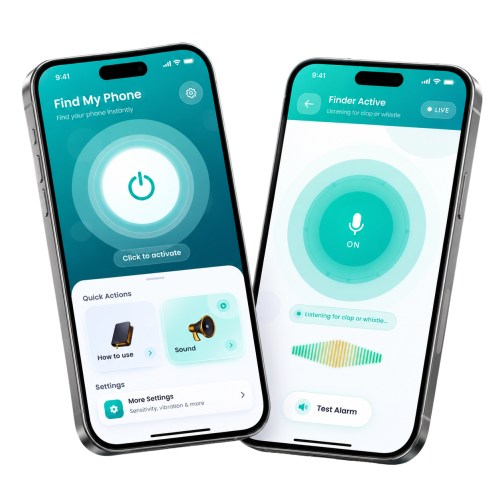
Find My Phone Screenshot

What Is
Clap & Whistle?

We've all been there.

Your phone is somewhere around the house, office, or room, but you can't remember where you left it.

Instead of searching under cushions, checking every bag, or walking around looking for your phone, Find My Phone: Clap & Whistle gives you a simpler way to find it.

Activate the finder, clap your hands or whistle, and let your phone respond with your selected alert.

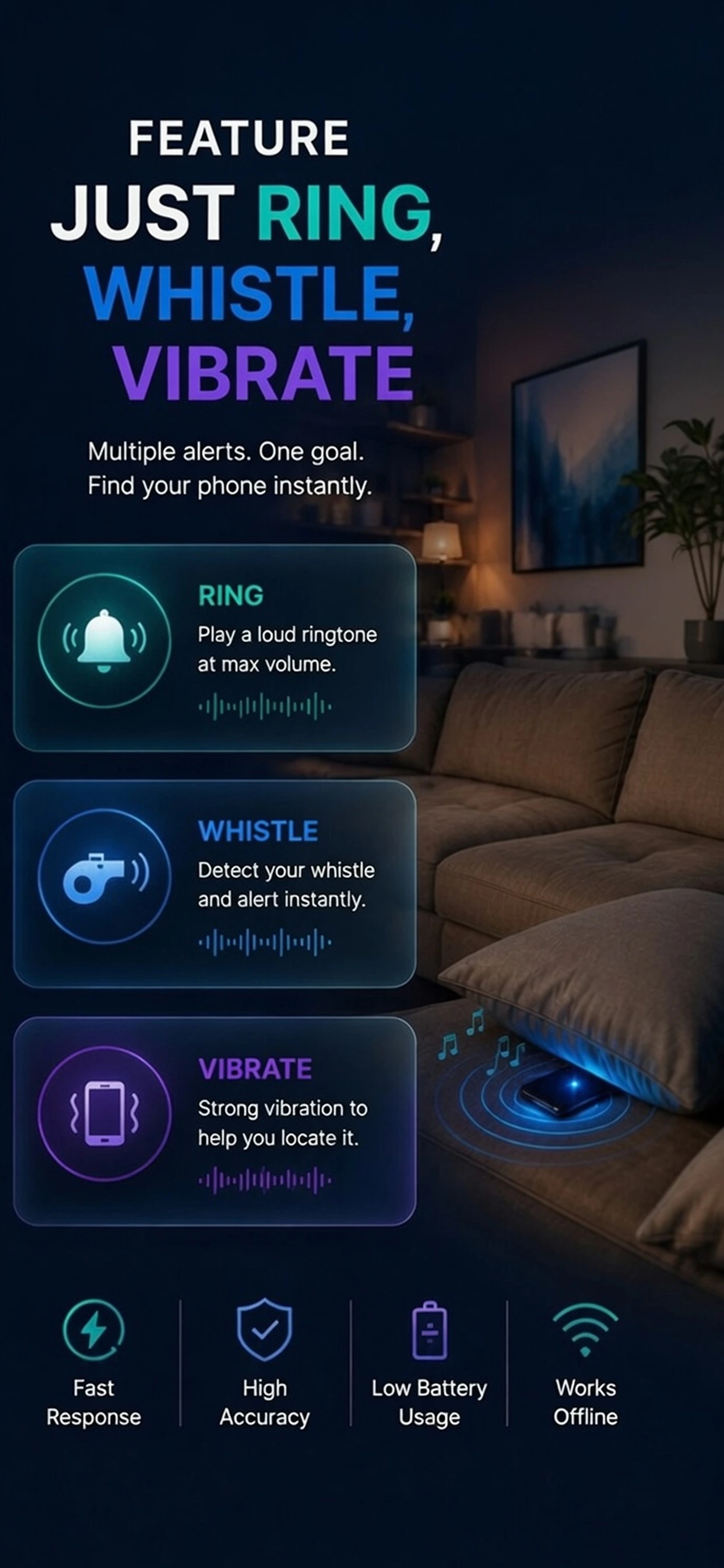
Use sound, flashlight, vibration, or a combination to make your phone easier to spot.

The Magic Process

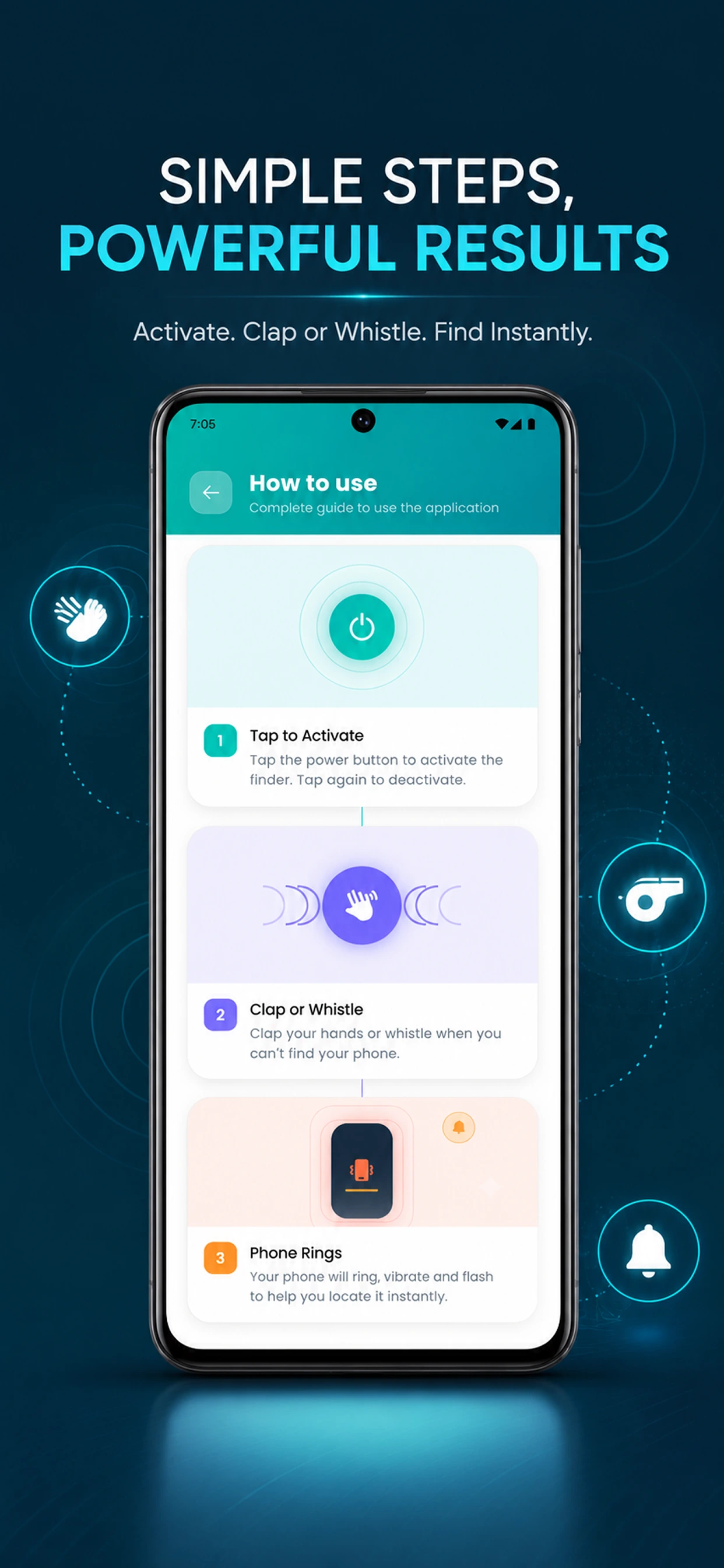
1. Clap / Whistle

Make a sound to trigger the app.

2. Detect

Instantly recognizes the sound pattern.

3. Alert

Loud alarm, flash, and vibrations start.

"Designed for those everyday moments when your phone is nearby but nowhere to be seen."

Finding Your Phone Takes
Just a Few Simple Steps

01

Open the App

Launch Find My Phone: Clap & Whistle and choose how you want to find your phone.

02

Choose Clap or Whistle

Enable clap detection or whistle detection and adjust the sensitivity to suit your environment.

03

Choose Your Alert

Select the response you want from your phone, including sound, flashlight, vibration, or a combination.

04

Clap or Whistle

Activate the finder and simply clap your hands or whistle. Your phone responds with your selected alert.

Activate Clap or Whistle Your Phone Responds Find It

Powerful Phone
Finding Features

Everything You Need to Find Your Phone Nearby

Clap to Find Your Phone

Can't remember where you left your phone? Enable clap detection and simply clap your hands. When the app detects your clap, your phone responds with your selected alert.

Fast detection • Adjustable sensitivity • Easy activation

Whistle Phone Finder

Clapping isn't always convenient. Use whistle detection to trigger your phone's alert when you need to find it nearby.

Accurate detection • Fast response • Adjustable sensitivity

Flashlight Alerts

Having trouble seeing your phone in a dark room? Enable flashlight alerts and make your phone's camera flash blink when the finder is triggered. Choose from available flash patterns.

Vibration Alerts

Sound isn't always enough. Use vibration alerts to add another way to identify your phone when it responds to a clap or whistle. Combine vibration with sound alerts.

Multiple Sound Options

Make your phone easier to recognize with a sound that works for you. Choose from different alarm, bell, siren, notification, beep, ringtone, and fun sound options.

Adjustable Detection

Different environments require different sensitivity levels. Adjust the detection sensitivity to help the app respond appropriately to your clap or whistle.

Inside the App

Explore the intuitive mobile experience across core features.

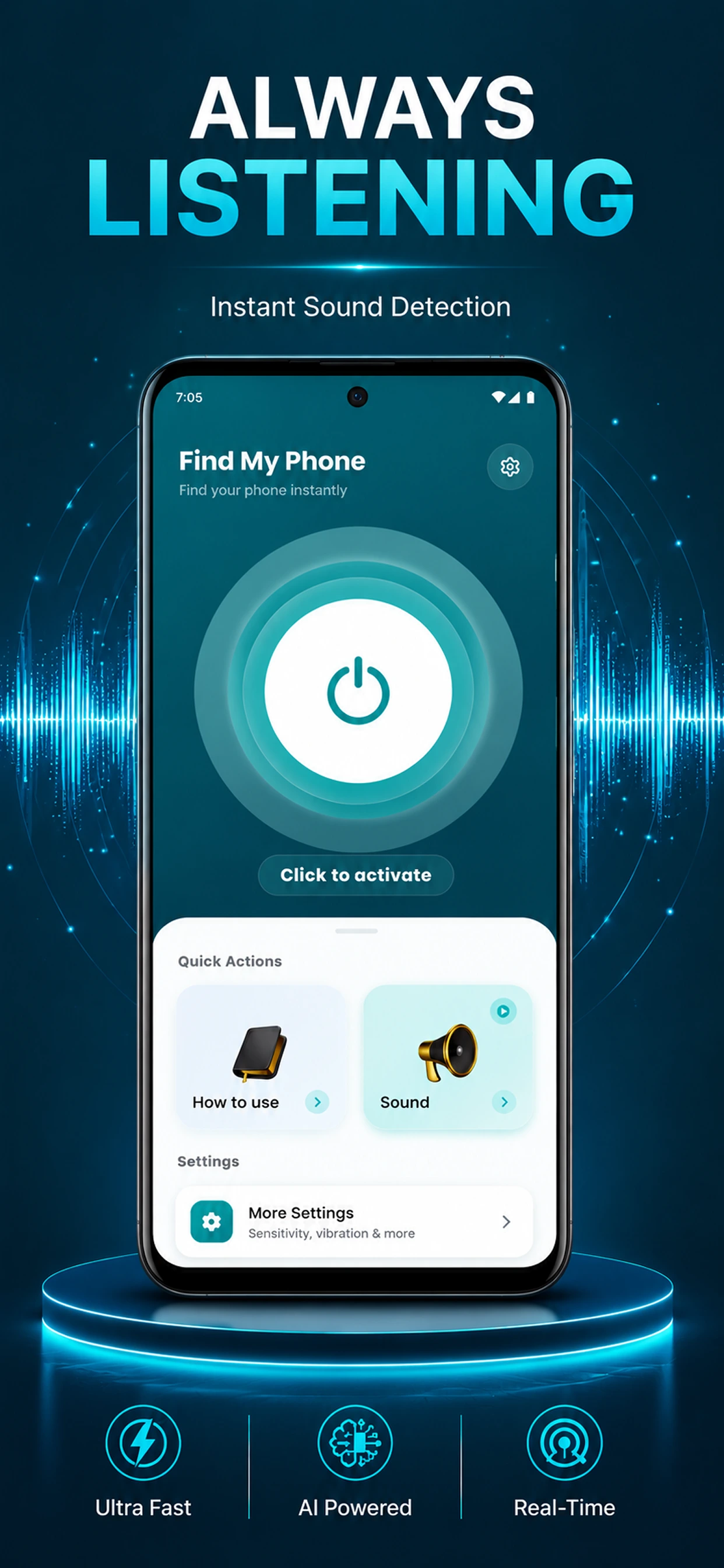
Find My Phone: Clap & Whistle app home screen showing activation button
Find My Phone: Clap & Whistle app settings for sound, flash, and vibration alerts
Find My Phone: Clap & Whistle app sensitivity adjustment and sound options
Find My Phone: Clap & Whistle app features and customizations interface

Find Your Phone in
Everyday Situations

When You Know It's Nearby but Can't See It

Under the Sofa

Can't remember where you put your phone? Clap and let your phone respond so you can follow the sound to it.

Under a Pillow

Your phone might be hidden somewhere within reach but impossible to spot. Use sound, flashlight, or vibration alerts to help locate it.

Inside Your Bag

Forgot which pocket you put your phone in? Trigger an alert and listen for your phone's response.

Around the Office

Left your phone somewhere at work? Activate the finder and use clap or whistle detection to help locate it.

In a Dark Room

Can't see where your phone is? Use flashlight alerts alongside sound or vibration to make it easier to spot.

Phone on Silent

A phone on silent can be surprisingly difficult to find. Choose the available alert options that help you locate your device more easily.

Why Choose Find My Phone:
Clap & Whistle?

Simple, Fast, and Built for Everyday Phone Finding

Find With a Clap

No need to search every corner. Activate the finder and clap to trigger your phone's response.

Find With a Whistle

Use whistle detection when you want another hands-free way to find your phone.

Choose How Your Phone Responds

Use sound, flashlight, vibration, or supported combinations to make your phone easier to locate.

Adjust the Sensitivity

Customize detection based on your environment and preferences.

Lightweight Experience

Designed to be simple and practical without unnecessary complexity.

Privacy First

Audio detection happens on your device. Your audio isn't recorded or uploaded to servers.

Your phone listens for the trigger. Your audio stays on your phone.

Your Privacy Matters

Sound Detection Without Recording Your Conversations

Find My Phone: Clap & Whistle is designed with privacy in mind.

On-Device Audio Processing

Audio processing happens directly on your device.

No Audio Uploads

Your audio is not uploaded to external servers for clap or whistle detection.

No Audio Recordings

The app does not store your detected audio as recordings.

Your Conversations Stay Private

The app is designed to detect the required sound triggers without collecting your personal conversations.

Your phone listens for the trigger. Your audio stays on your device.

Stop Searching Every Corner

A Simpler Alternative to Manually Looking for Your Phone

Searching Manually

  • Check room by room
  • Search under cushions
  • Look inside every bag
  • Hard to find in the dark
  • No response from your phone
  • Takes time

Find My Phone

  • Activate the finder
  • Clap or whistle
  • Listen for the alert
  • Use flashlight alerts
  • Sound, flash, and vibration alerts
  • Designed for quick everyday finding

When your phone is nearby, let your phone help you find it.

Clap.
Whistle.
Listen.
Find.

Frequently Asked Questions

Find My Phone: Clap & Whistle FAQs

How can I find my phone by clapping?
Open Find My Phone: Clap & Whistle, enable clap detection, activate the finder, and clap your hands. When the app detects the configured clap, your phone responds with your selected alert.
Can I find my phone by whistling?
Yes. Enable whistle detection and activate the finder. When your phone detects the configured whistle, it can respond with the selected sound, flashlight, or vibration alert.
What is a clap-to-find phone app?
A clap-to-find phone app uses sound detection to recognize a clap and trigger an alert on your phone, making it easier to locate a misplaced device nearby.
How does Find My Phone: Clap & Whistle work?
The app listens for the selected sound trigger after you activate the finder. When it detects a supported clap or whistle, it responds using your selected alert options.
Can I choose the sound my phone makes?
Yes. Find My Phone: Clap & Whistle provides multiple sound options so you can choose an alert that works for you.
Can I use flashlight alerts to find my phone?
Yes. You can enable flashlight alerts to make your phone easier to spot, especially in dark environments.
Can I use vibration to find my phone?
Yes. Vibration alerts can be enabled to provide another way to identify your phone when the finder is triggered.
Can I adjust clap detection sensitivity?
Yes. The app includes adjustable sensitivity settings to help customize clap detection for different environments.
Can I adjust whistle detection sensitivity?
Yes. Whistle detection includes adjustable sensitivity settings so you can customize the experience.
Does the app record my audio?
No. The app does not store audio recordings.
Is my audio uploaded to a server?
No. Audio processing for the finder is performed on your device and audio is not uploaded to servers.
Where can I use Find My Phone: Clap & Whistle?
You can use it whenever your phone is nearby and misplaced, such as at home, in the office, while traveling, or inside a bag.
Who is this phone finder app for?
It is useful for students, parents, office workers, travelers, busy professionals, and anyone who frequently misplaces their phone.

Never lose your phone again.

Download Find My Phone — free on iOS and Android.